Posts

How to edit the records in Lightning component
Image
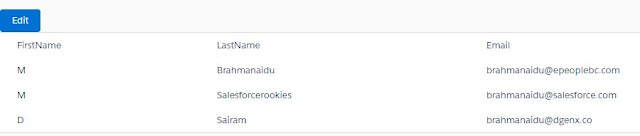
Apex class ========== public class ContactCTRL4 {    @AuraEnabled    public static List<Contact> displayConRecords()    {        return [select LastName,Email from Contact LIMIT 10];    }     @AuraEnabled     public static list<Contact> updateConRecords(List<Contact> condata)     {         try         {             update condata;         }         catch(Exception e)         {             System.debug('unable to update the record due to '+e.getMessage());         }         return condata;     } } compoment ========= <aura:component  controller="ContactCTRL4">     <aura:attribute name="conlist" type="list"/> ...
How to display the contact records based on Account with radio button in salesforce lightning

Image
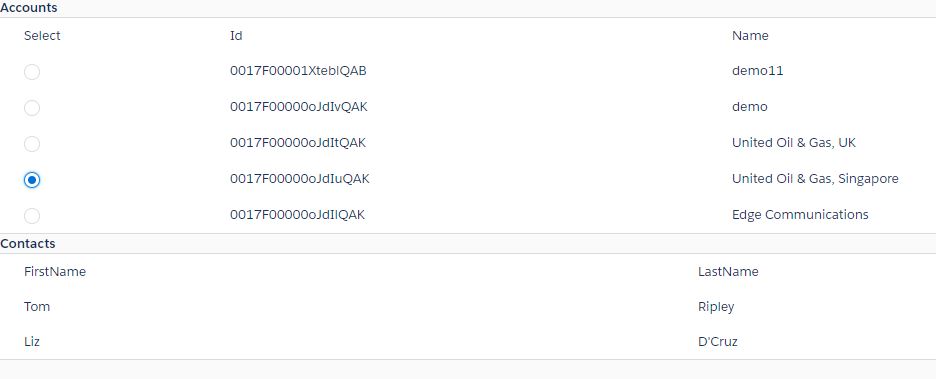
Apex class ========== public class AccountController {     @AuraEnabled     public static List<Account> displayAccRecords()     {         return [select Id,Name from Account LIMIT 5];     }     @AuraEnabled     public static List<Contact> displayConRecords(String accId)     {         List<Contact> returnconlist=new List<Contact>();         for(Contact con:[select Id,AccountId,FirstName, LastName from Contact where AccountId=:accId])         {             if(con!=null)             {                 returnconlist.add(con);             }         }         return returnconlist;     } } Accountcomponent.cmp ========...

How to display accounts with contacts in salesforce lighnting

Image
Apex class ========== public class AccountDataController {     @AuraEnabled     public static List<Account> showAccountsData()     {         return [select Name,Site,AccountNumber from Account];     }     @AuraEnabled     public static List<Contact> showContactsData(String acctId)     {         List<Contact> returnconts=new List<Contact>();         for(Contact con:[select AccountId,Name,Email,Phone from Contact where AccountId=:acctId])         {             returnconts.add(con);             System.debug('contacts'+returnconts.size());         }         return returnconts;     } } Accountcomp.cmp =============== <aura:component  controller="AccountDataController"> ...

How to display the contacts based on Account name

Image
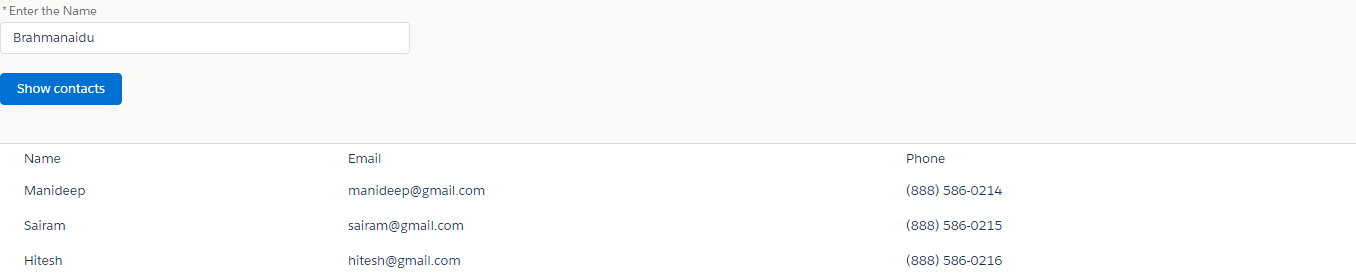
Apex class ========== public class AccountSearchController {     @AuraEnabled     public static List<Contact>  displayconRecords(String searchKeyWord)     {         String searchWord='%'+searchKeyWord+'%';         List<Contact> returnconlist=new List<Contact>();         for(Contact con:[select Id,Account.Name,Name,Email,Phone from Contact where Account.Name like:searchWord])         {             returnconlist.add(con);                   }       return returnconlist;           } } InputCarryEvent.evt =================== <aura:event type="Component" description="Event template" >     <aura:attribute name="accInfo" type="String"/> </aura:event> Childcomp.cmp ============= <aura:compon...

If else condition in Lightning web component

  basic.html  ----------  //starting tag of the html file.Template tag is mandatory in Lightning web component.  <template>     <lightning-input type="checkbox" label="check" onchange={clickMe}>     </lightning-input> //boolVal is the boolean variable.It will accept only two values(true,false). //If block.If block will be executed when the boolean value is set to true.Since we are setting it to false //so by default if block will  disappear on loading of a page.     <template if:true={boolVal}>       <lightning-input label="FirstName"  type="text" placeholder="Enter the FirstName"></lightning-input>       <lightning-input label="LastName"  type="text" placeholder="Enter the LastName"></lightning-input>       <lightning-input label="Email" type="Email" placeholder="Please enter the Email"></lightning-inp...

How to display the records based on selected picklist value in Lightning

Apex Class  ----------  public class FetchPicklistOptsController  {     @AuraEnabled     public static List < String > getselectOptions(sObject objObject, string fld) {         system.debug('objObject --->' + objObject);         system.debug('fld --->' + fld);         List < String > allOpts = new list < String > ();         // Get the object type of the SObject.         Schema.sObjectType objType = objObject.getSObjectType();             // Describe the SObject using its object type.         Schema.DescribeSObjectResult objDescribe = objType.getDescribe();             // Get a map of fields for the SObject         map < String, Schema.SObjectField > fieldMap = objDescribe.fields.getMap();     ...

How to display the records based on choosen picklist value(with out button) in visualforce

Image
<apex:page controller="AccountController2" showHeader="false">  <apex:slds />  <apex:pageMessages /> <apex:form id="test"> <apex:selectList size="1"    style="width:10%;" value="{!selectedIndustry}" styleClass="slds-input" rendered="{!isclicked==false}">                <apex:selectOptions value="{!AccountIndPickValues}"  />              <apex:actionSupport event="onchange" action="{!searchAccountRecords}"/>         </apex:selectList> <br/><br/>         <apex:outputpanel rendered="{!isclicked==true && acc_list.size!=0}" > <table class="slds-table"  width="100%"  align="center"> <tr>   <td style="width:7%;"><b>S.No</b></td>   <td style="width:7%;"><b>Name</b></t...

How to display the records based on Picklist value in visualforce

Image
<apex:page controller="AccountController2" showHeader="false">  <apex:slds /> <apex:form id="test"> <apex:selectList size="1"    style="width:10%;" value="{!selectedIndustry}" styleClass="slds-input" rendered="{!isclicked==false}">                <apex:selectOptions value="{!AccountIndPickValues}"  />          </apex:selectList> <br/><br/> <apex:commandButton value="show"   rendered="{!isclicked==false}" styleClass="slds-button slds-button_brand" action="{!searchAccountRecords}"  />         <apex:outputpanel rendered="{!isclicked==true}" > <table class="slds-table"  width="100%" style="margin-left:5px;"> <tr>   <td><b>S.No</b></td>   <td><b>Name</b></td>   ...

Aura if else condition in salesforce lightning

Image
<aura:component implements="force:appHostable,flexipage:availableForAllPageTypes,flexipage:availableForRecordHome,force:hasRecordId,forceCommunity:availableForAllPageTypes" access="global" >     <aura:attribute name="FirstName" type="String"/>     <aura:attribute name="LastName" type="String"/>     <aura:attribute name="mobile" type="Integer"/>     <aura:attribute name="Email" type="String"/>     <aura:attribute name="details" type="boolean" default="true" />     <aura:renderIf isTrue="{!v.details}">     <div align="center" style="width:300px;">     <lightning:input type="Text"  label="FirstName" placeholder="Please enter FirstName"  aura:id="FirstName" value="{!v.FirstName}" updateOn="keyup" />     ...

How to update the records with a button in salesforce lightning

Image
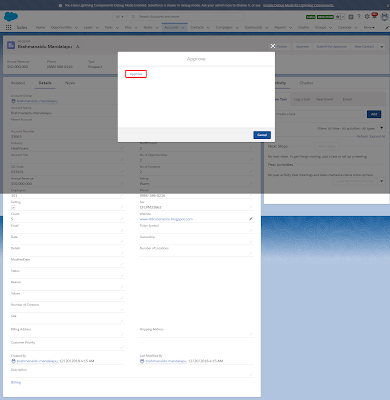
Apex class ========== public class AccountController {     @AuraEnabled     public static Account getAccountData(String AccountId){         Account acc= [select Id,Name,Site from Account where Id=:AccountId];         return acc;     }     @AuraEnabled     public static Account updateSite(Account acc){         acc.site='Approved by brahmanaidu as per the comments'; try{ update acc; } catch(Exception e){ throw new auraHandledException('unable to update the record due to'+e.getMessage()); }         return acc;     }  } component ========= <aura:component implements="force:appHostable,flexipage:availableForAllPageTypes,flexipage:availableForRecordHome,force:hasRecordId,forceCommunity:availableForAllPageTypes,force:lightningQuickAction" access="global"                     ...

How to get the selected record details with radio box in lightning

Image
<aura:component controller="AccountCtrl" implements="force:appHostable,flexipage:availableForAllPageTypes,flexipage:availableForRecordHome,force:hasRecordId,forceCommunity:availableForAllPageTypes,force:lightningQuickAction" access="global" >     <aura:handler name="init" value="{!this}" action="{!c.doinit}"/>     <aura:attribute name="Acclist" type="list"/>     <aura:attribute name="row" type="Integer"/>      <div>             <table class="slds-table slds-table_cell-buffer slds-table_bordered">               <thead>                 <tr class="slds-line-height_reset">                    <th class="slds-text-title_caps" scope="col">                       <div class...

How to delete records with a button in salesforce lightning

Image
<aura:component implements="force:appHostable,flexipage:availableForAllPageTypes,flexipage:availableForRecordHome,force:hasRecordId,forceCommunity:availableForAllPageTypes"                 access="global"                 controller="AccountCtrl">   <aura:handler name="init" value="{!this}" action="{!c.doinit}"/>         <aura:attribute name="Acclist"  type="list"/>           <div>             <table class="slds-table slds-table_cell-buffer slds-table_bordered">               <thead>                 <tr class="slds-line-height_reset">                    <th class="slds-text-title_caps" scope="col">            ...